

Personalise products in interactive 3D
Let customers choose colours and add logos, names and numbers directly on the 3D product. They can move, resize and rotate artwork, then explore the design from different angles using the options you prepare.
Solvin3D lets your customers personalise sportswear, teamwear, uniforms and other custom products in interactive 3D. They choose colours, add logos, names and numbers, then submit their design, sizes and order details — all from your existing website.
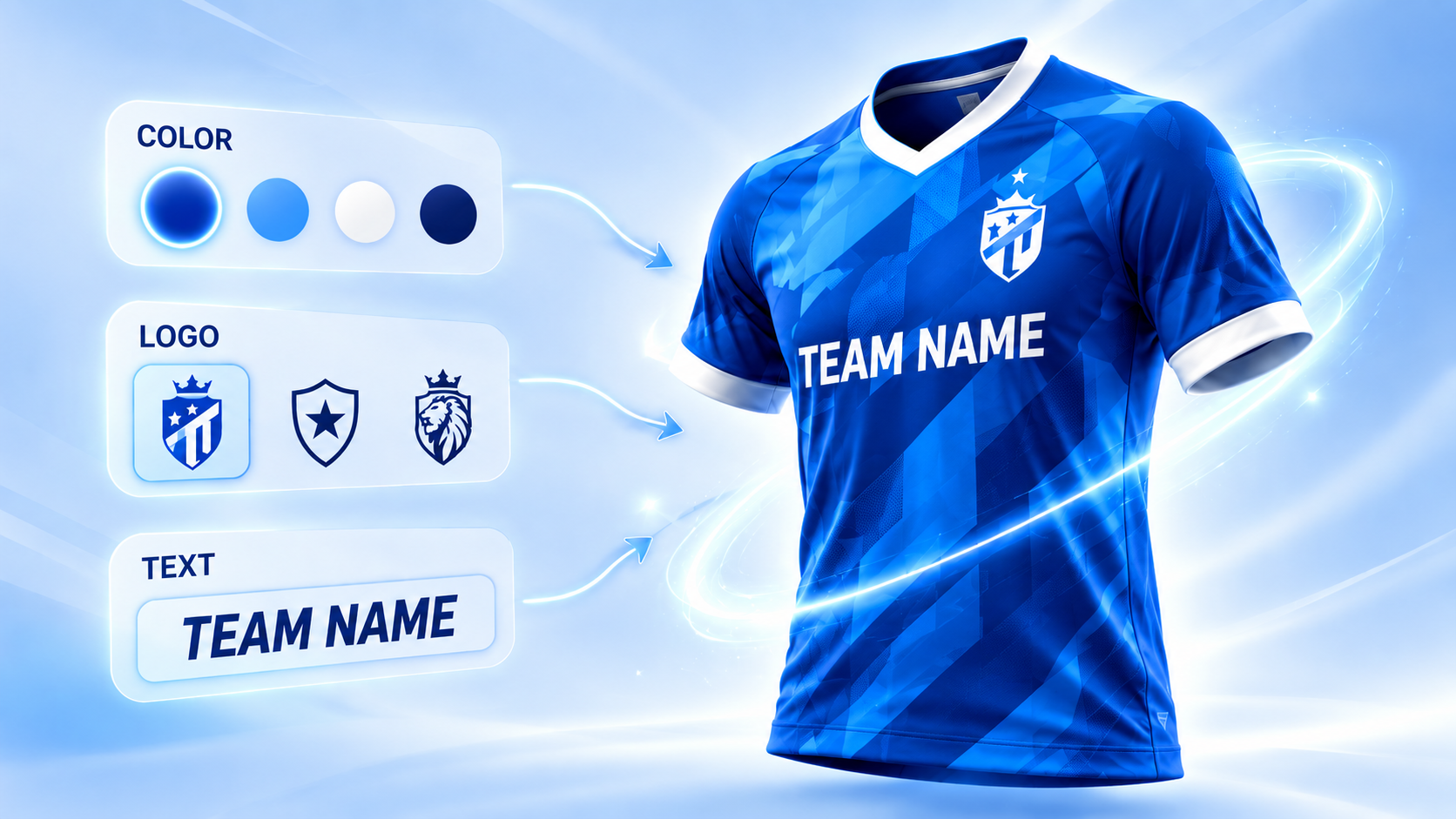
Add a configurable product catalogue to your website, let customers personalise in 3D and show their designs in prepared Try-On scenes.
Let customers choose colours and add logos, names and numbers directly on the 3D product. They can move, resize and rotate artwork, then explore the design from different angles using the options you prepare.
Bring your products and starting designs together on your website. Customers browse the catalogue and open a product in the 3D configurator; your team manages products and publication from one Dashboard.
Present the configured design in prepared scenes with photographic backgrounds. Smart Render uses the customer's design rather than asking generative AI to recreate it. Customers can switch views and download an image.
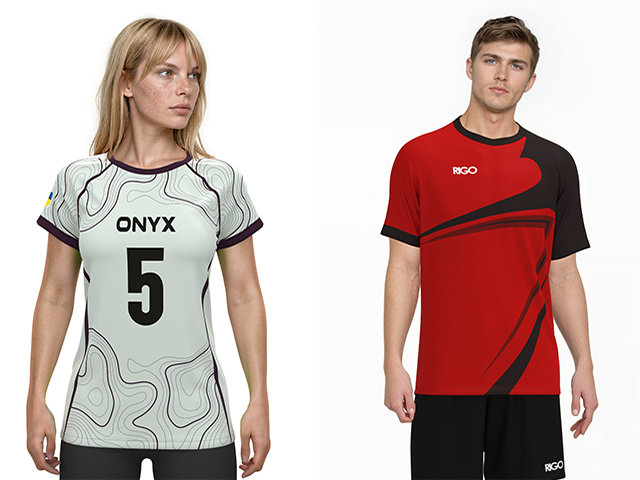
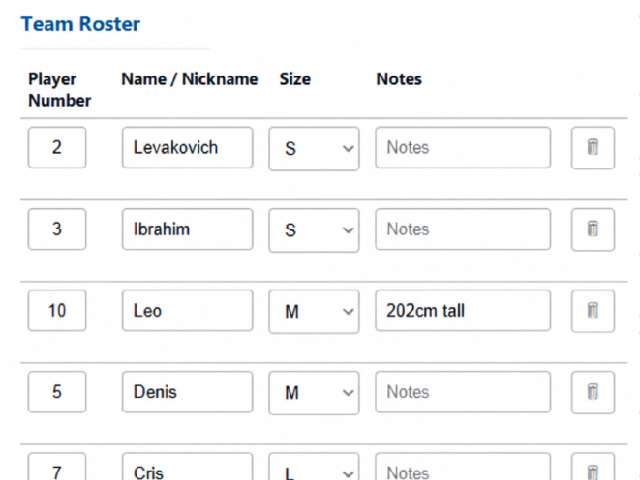
Sportswear brings together everything Solvin3D is designed to handle: team colours, sponsor logos, player names and numbers, multi-piece kits and orders across several sizes. Customers can personalise a prepared kit and enter a team roster, while your business receives the design and order details together.
The same approach also works for uniforms, clothing and other personalised products with prepared 3D models and configured design options.
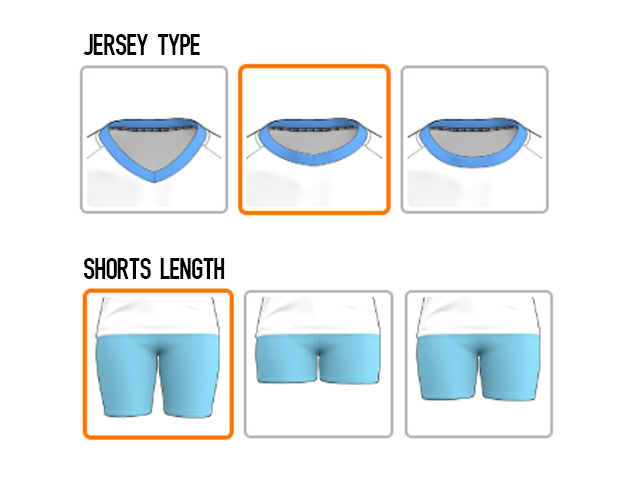
Embed your 3D product catalogue and configurator using the supplied HTML/JS code. Customers personalise products and submit order requests through Solvin3D's forms, while you manage products and submissions in Dashboard.
Your website must support the embed code, and its domain must be enabled for your catalogue. A connection to your store's cart is optional.
Optional integration — requires setup
Connect a store product to a Solvin3D design. With the integration enabled and configured, the configuration, quantity, confirmed price and preview pass to the WooCommerce cart. Your store handles checkout.
Deeper integration on request
Embed Solvin3D where your OpenCart site supports the supplied HTML/JS code. A deeper product or cart connection requires a separately agreed integration.
Use another platform? Standard embedding works where the supplied HTML/JS code is supported. We'll review any deeper connection to your products, cart and checkout flow and agree the integration scope separately.
Discuss your platformProvide your original 3D models, textures, designs and available source files. Our technical team reviews compatibility, agrees the scope and prepares your products for Solvin3D.
Your paid subscription starts only after the agreed migration is complete and your configurator is ready to use.
Solvin3D is an embeddable 3D product configurator for sportswear, teamwear, uniforms and other personalised products. Customers customise prepared products on your website, preview their design in 3D and submit sizes and order details to your business.
Yes. Add the supplied HTML/JS embed code to a page on an enabled domain. Your website must support the snippet. Customers can customise products and send order requests through Solvin3D; connecting your store's cart is optional.
Solvin3D is designed for sportswear, teamwear, uniforms, clothing and other personalised products. Each product needs prepared 3D resources and a defined set of designs and customisation options.
Yes. Customers can use a team roster with a name, number and size for each player, or order by size and quantity. Available order modes, required fields and pricing rules are set up for your products in Dashboard.
Each product needs prepared 3D models, compatible SVG artwork and the designs and options you want to offer. Share your available materials so we can review what can be reused and what preparation is needed.
Customers can choose prepared designs, colours and available patterns, add text, names, numbers and uploaded logos, and move, resize or rotate artwork on the 3D model. You decide which choices and editing tools are available for each product and design.
Yes. Dashboard lets you manage products, categories, designs, customisation steps and order settings. You can duplicate content, save drafts, publish products and reuse your resource libraries. If you prefer, our team can manage your catalogue and designs as a paid service with an agreed scope and price.
Solvin3D preserves the submitted configuration, preview, SVG artwork, original logos, sizes, quantities, team roster and pricing information, where available. In Dashboard you can search submissions, manage statuses and internal notes, and export a ZIP with the available files and CSV data. Email notifications can also be configured.
Signed-in customers can save configurations and continue editing later. A published design link lets someone view the design in interactive 3D, submit an order or create their own copy. Editing a copy preserves the original; you can also update, expire or revoke shared links.
Yes, when the optional WordPress/WooCommerce integration is configured. It links a store product to a prepared design and passes the configuration, quantity, confirmed price and preview into WooCommerce. Your store then handles cart and checkout.
Try-On shows the current design in prepared scenes combining photographic backgrounds with 3D garments. Customers can switch views and download an image. Each product and its variants need prepared scene resources; this does not provide body scanning or size recommendations.
* Free migration is confirmed after technical review. The first month is paid before migration begins, while the subscription period starts after the agreed migration is complete.
Tell us about your products, website and ordering process. We'll help you plan a configurator for your sportswear range or other personalised products.